In the rapidly evolving real estate and land development industry, 3D terrain modeling software has become an essential tool for visualizing properties, understanding topography, and accelerating sales. But with numerous options available, how do you choose the right terrain modeling software for your specific needs?
This comprehensive guide explores everything you need to know about 3D terrain modeling software, from key features and benefits to choosing the perfect solution for real estate visualization and land development projects.
What is 3D Terrain Modeling Software?
3D terrain modeling software is a specialized digital tool that creates three-dimensional representations of land surfaces, complete with elevation changes, contours, slopes, and topographic features. Unlike simple 2D maps, terrain modeling software provides realistic, interactive visualizations that help users understand the true nature of land surfaces.
For real estate professionals and land developers, 3D terrain software transforms complex survey data and topographic information into intuitive visual presentations that buyers can easily understand—even without technical expertise.
How 3D Terrain Modeling Software Works
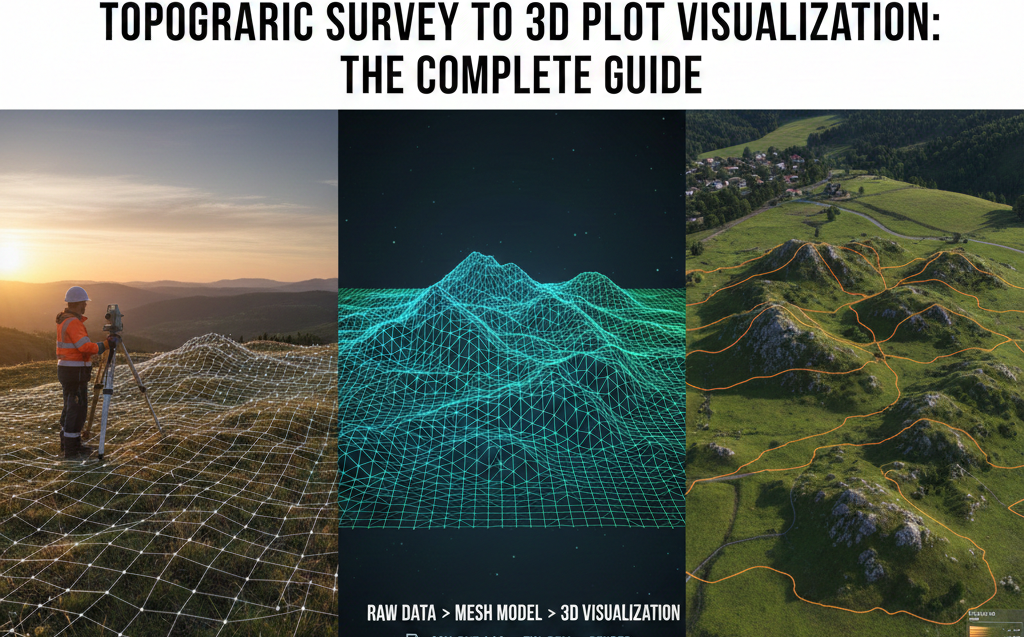
Modern terrain modeling software typically follows this workflow:
- Data Import: Import topographic survey data, CAD files, or elevation datasets
- Terrain Generation: The software processes elevation points to create a continuous 3D surface
- Visualization: Apply textures, colors, and contour lines to represent terrain features
- Interaction: Users can rotate, zoom, and explore the 3D terrain from any angle
- Analysis: Perform slope analysis, elevation measurements, and drainage assessments
- Sharing: Export or share the 3D terrain model for presentations and sales
Why 3D Terrain Modeling Software is Essential for Real Estate
Traditional 2D topographic maps require technical knowledge to interpret. 3D terrain modeling software solves this problem by presenting terrain information in a format anyone can understand instantly.
Key Benefits of Terrain Modeling Software
1. Instant Visual Understanding
Buyers immediately grasp slope conditions, elevation changes, and terrain features without needing to interpret contour lines or elevation numbers. 3D terrain software makes complex topographic data accessible to everyone.
2. Better Property Evaluation
With 3D terrain modeling software, potential buyers can assess:
- Building site suitability based on slope and elevation
- Drainage patterns and water flow directions
- Views and sight lines from different elevations
- Access road requirements and challenges
- Privacy from neighboring properties
- Grading and development costs
3. Faster Sales Cycles
Real estate developers using terrain modeling software report 40-60% faster sales cycles. When buyers can visualize and understand terrain instantly, they make confident decisions more quickly.
4. Reduced Site Visit Requirements
Accurate 3D terrain visualization allows buyers to evaluate properties remotely. This is especially valuable for investors, NRI buyers, and out-of-state purchasers who cannot easily visit properties in person.
5. Premium Pricing Justification
Properties with favorable terrain features (views, gentle slopes, premium elevations) command higher prices. 3D terrain modeling software helps showcase these premium characteristics, justifying higher valuations.
Essential Features in 3D Terrain Modeling Software for Real Estate
Not all terrain modeling software is created equal. When evaluating options for real estate and land development, prioritize these essential features:
1. Survey Data Import Capabilities
Your 3D terrain software must import data from topographic surveys, including:
- CAD files (DWG, DXF formats)
- Point cloud data from drone surveys
- CSV elevation data
- Digital Elevation Models (DEM)
- Contour line data
2. Realistic 3D Visualization
Quality terrain modeling software should provide:
- Smooth, realistic terrain surfaces
- Customizable color schemes for elevation zones
- Automatic contour line generation
- Texture mapping for realistic appearance
- Adjustable lighting for better depth perception
3. Interactive Controls
Users need intuitive controls to explore terrain models:
- 360-degree rotation capabilities
- Zoom in/out functionality
- Pan across the terrain
- Toggle layers (contours, plots, roads)
- Measurement tools for distances and elevations
4. Mobile Compatibility
Modern 3D terrain modeling software must work seamlessly on:
- Desktop computers (Windows, Mac)
- Tablets (iPad, Android tablets)
- Smartphones (iOS, Android)
- Web browsers (no downloads required)
5. Cloud-Based Accessibility
Cloud-based terrain modeling software offers advantages:
- Access from anywhere, anytime
- No installation or setup required
- Automatic updates and improvements
- Easy sharing via simple links
- No expensive hardware requirements
6. Integration with Plot/Property Data
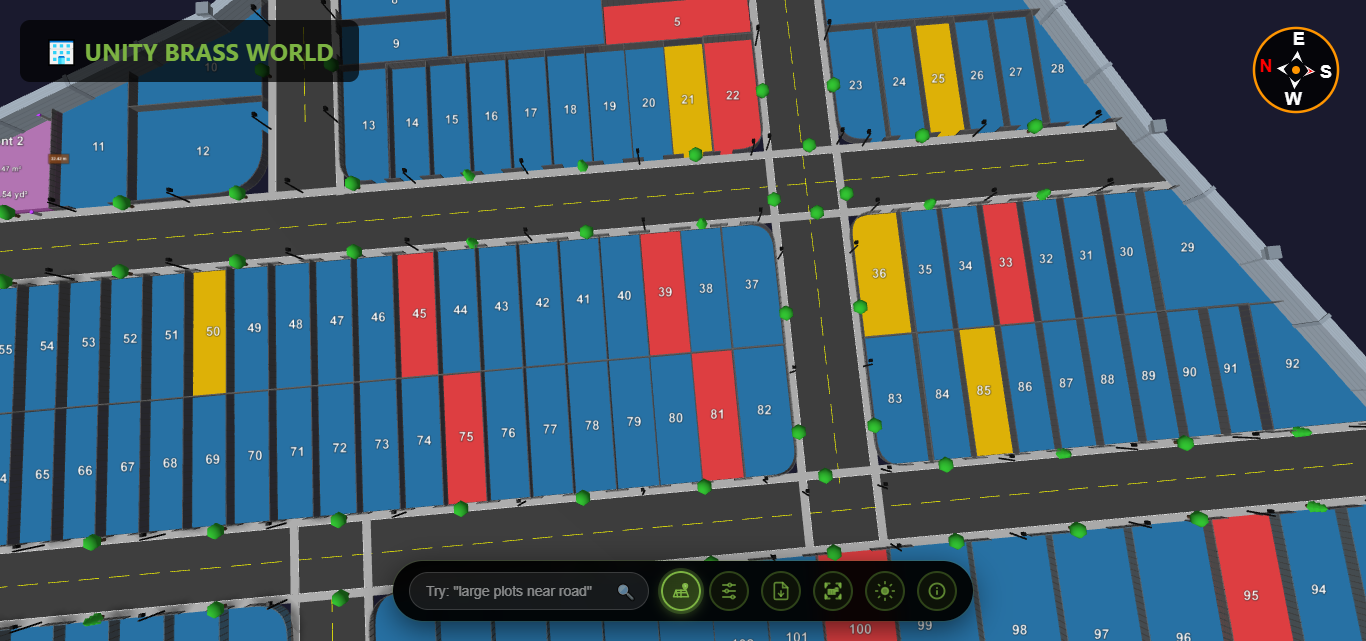
For real estate applications, 3D terrain software should overlay:
- Property boundaries and plot divisions
- Plot availability status (available/sold/reserved)
- Plot sizes, dimensions, and pricing
- Road networks and access points
- Amenities and facilities locations
Types of 3D Terrain Modeling Software
Different terrain modeling software solutions target different use cases. Understanding these categories helps you choose the right tool:
Engineering-Focused Terrain Software
Examples: AutoCAD Civil 3D, Bentley MicroStation
Best For: Engineers, surveyors, civil design
Characteristics:
- Complex technical features
- Steep learning curve
- Expensive licensing ($1,000-$10,000+)
- Desktop-only applications
- Not buyer-friendly
GIS Terrain Modeling Software
Examples: ArcGIS, QGIS, Global Mapper
Best For: Geographic analysis, large-scale mapping
Characteristics:
- Focused on data analysis
- Requires GIS expertise
- Moderate to high cost
- Desktop applications
- Technical interface
3D Modeling & Rendering Software
Examples: SketchUp, Blender, 3ds Max
Best For: Architectural visualization, rendering
Characteristics:
- Manual terrain creation
- Artistic/design focus
- Time-intensive workflow
- Not optimized for real estate sales
- Requires 3D modeling skills
Real Estate Terrain Visualization Software
Examples: Plotex, specialized property viewers
Best For: Real estate sales, land marketing
Characteristics:
- Easy, intuitive interface
- Automatic terrain generation
- Buyer-focused presentation
- Mobile and web-based
- Affordable pricing
- Quick implementation
Choosing the Right 3D Terrain Modeling Software for Your Needs
Selecting the best terrain modeling software depends on your specific requirements. Consider these factors:
For Real Estate Developers & Land Sales
If your primary goal is selling properties and engaging buyers, choose 3D terrain software that prioritizes:
- User Experience: Intuitive, buyer-friendly interface
- Accessibility: Works on all devices without downloads
- Quick Setup: Import survey data and launch within days
- Shareability: Easy distribution via links and QR codes
- Analytics: Track which plots receive the most interest
- Cost-Effectiveness: Affordable pricing for multiple projects
Recommended Solution: Plotex is specifically designed for real estate terrain visualization, combining accurate topographic modeling with buyer-friendly presentation.
For Engineering & Site Design
If you need technical analysis and engineering calculations, choose terrain modeling software with:
- Grading and earthwork calculation tools
- Drainage design capabilities
- Road design and alignment tools
- Cut-and-fill analysis
- Integration with CAD workflows
Recommended Solutions: AutoCAD Civil 3D, Bentley OpenRoads
For Large-Scale Planning & Analysis
For regional planning and geographic analysis, choose terrain software offering:
- Large dataset handling
- Multi-source data integration
- Advanced spatial analysis
- Database connectivity
- Custom scripting and automation
Recommended Solutions: ArcGIS Pro, Global Mapper
How Plotex Excels as 3D Terrain Modeling Software for Real Estate
Plotex is purpose-built as 3D terrain modeling software for real estate professionals who want to showcase land properties effectively without engineering complexity.
Key Advantages of Plotex Terrain Modeling
Automatic Terrain Generation
Upload your topographic survey data, and Plotex automatically generates accurate 3D terrain models with proper elevations, contours, and slopes. No manual modeling required.
Buyer-Friendly Visualization
Unlike technical terrain modeling software, Plotex presents terrain in a beautiful, easy-to-understand format that appeals to property buyers, not just engineers.
Works Everywhere
Plotex's cloud-based 3D terrain software runs in web browsers on any device—desktop, tablet, or smartphone—without downloads or installations.
Integrated Plot Information
Plotex combines terrain modeling with plot data, showing property boundaries, availability status, sizes, prices, and amenities directly on the 3D terrain.
Interactive Measurements
Buyers can measure distances, check elevations, and verify plot dimensions themselves within the 3D terrain model, building confidence in their purchase decisions.
Viewer Analytics
Track which plots on your terrain model receive the most views and interest, enabling data-driven pricing and marketing strategies.
Simple Sharing
Share your 3D terrain visualization via simple links, QR codes, or website embeds. Recipients access the full interactive model instantly—no software required.
Affordable Pricing
Unlike engineering terrain modeling software costing thousands of dollars, Plotex offers real estate-focused features at a fraction of the price.
Common Questions About 3D Terrain Modeling Software
How accurate is 3D terrain modeling software?
Professional topographic surveys provide ±5-10cm vertical accuracy, which is maintained when processed through quality terrain modeling software. This level of precision is more than sufficient for real estate visualization and property sales.
Do I need special training to use terrain modeling software?
Engineering-focused terrain modeling software requires extensive training. However, real estate-specific solutions like Plotex are designed for ease of use—if you can use Google Maps, you can use Plotex's terrain visualization features without any technical training.
How long does it take to create a 3D terrain model?
Modern automated 3D terrain modeling software like Plotex generates terrain models in minutes once you upload survey data. Total setup time from data collection to published model is typically 1-3 days, compared to weeks with manual modeling tools.
Ready to Transform Your Land Sales with 3D Terrain Modeling?
Plotex provides powerful yet easy-to-use 3D terrain modeling software designed specifically for real estate professionals. Upload your topographic survey data and create stunning interactive terrain visualizations that help buyers understand properties instantly.
Join hundreds of developers already using terrain modeling to accelerate sales and maximize property values.